Marky
A native Markdown editor that looks like a word processor and keeps your text exactly as you wrote it.
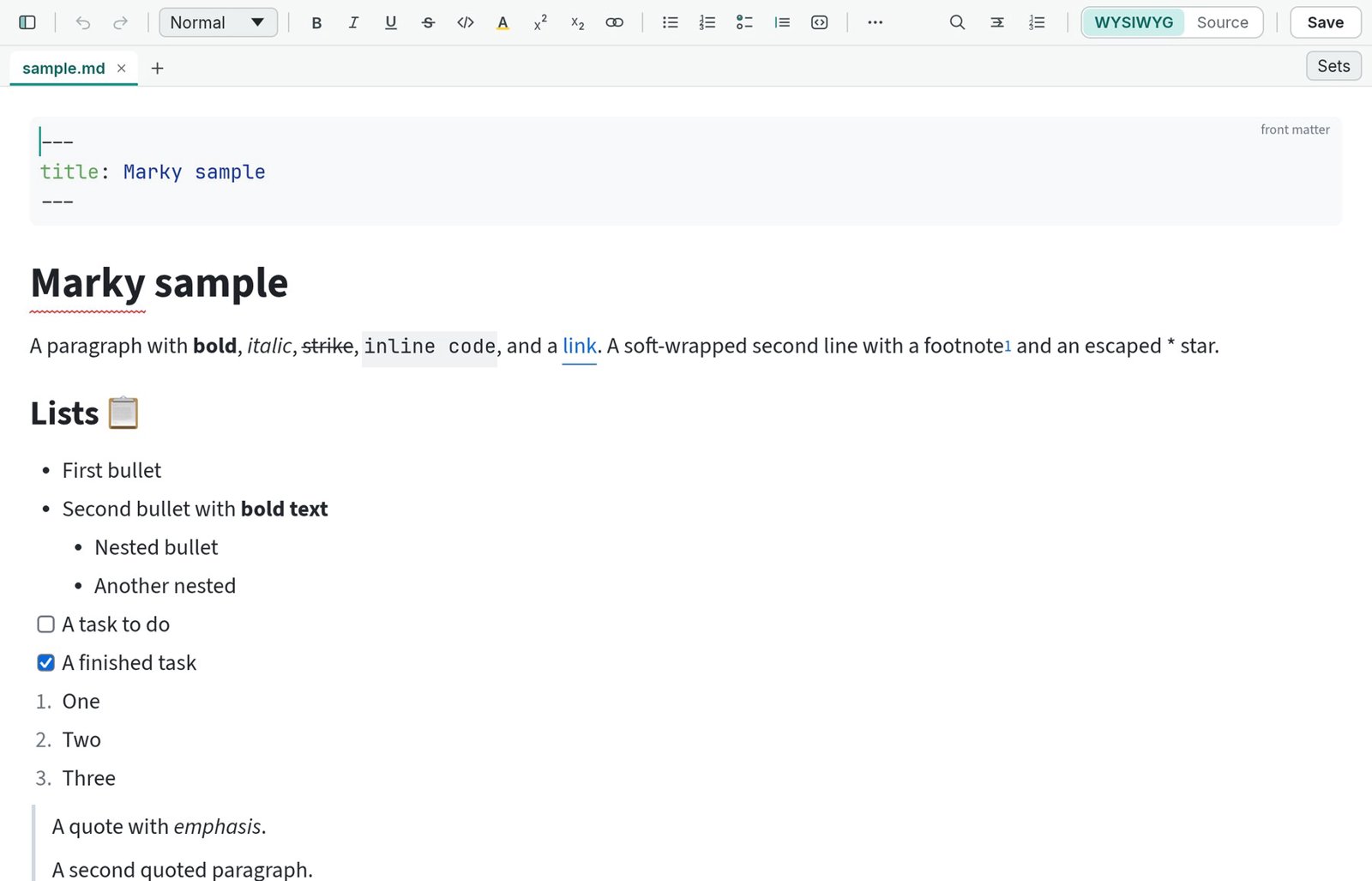
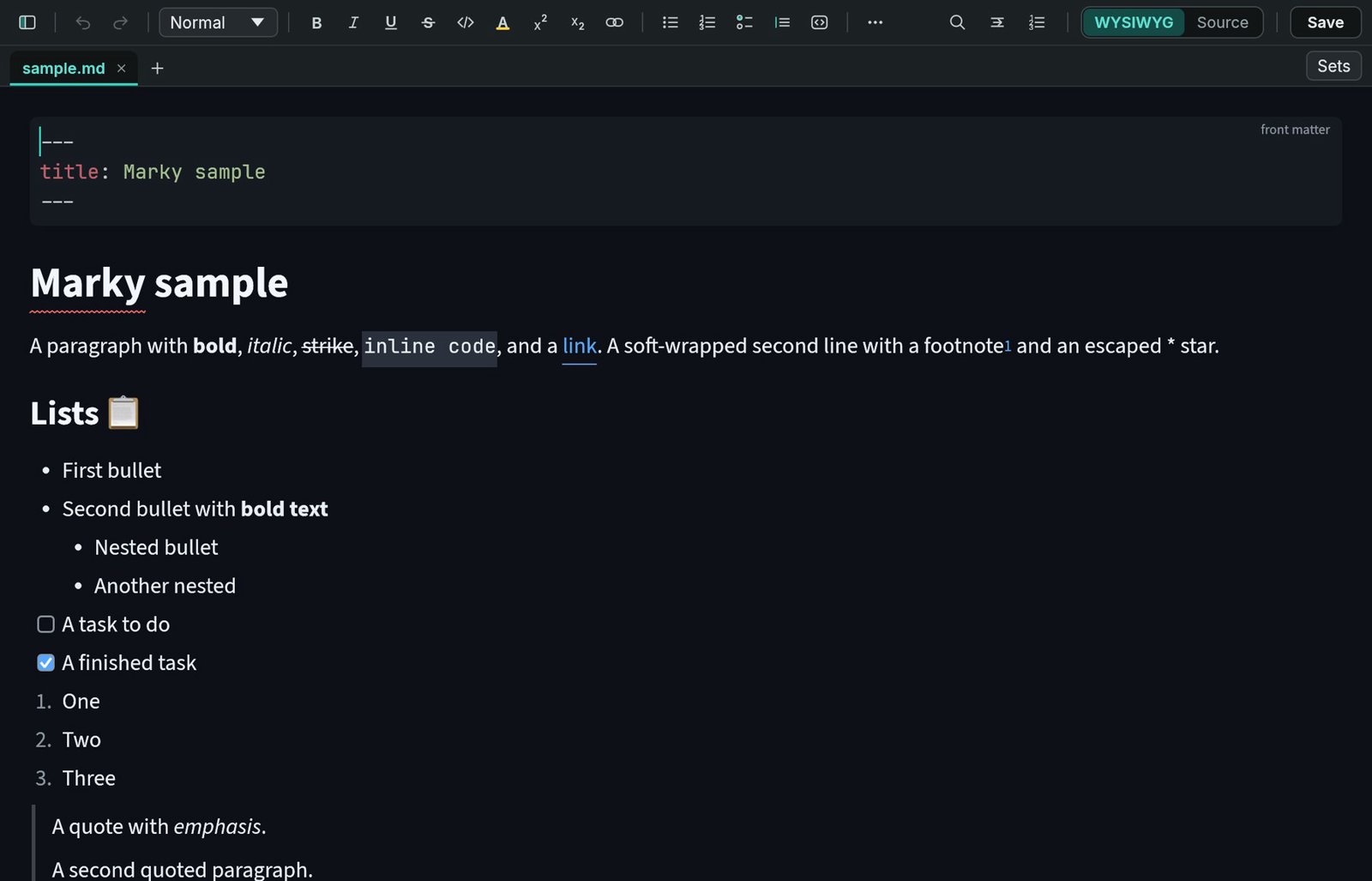
Marky is a Word-like editor for GitHub-flavoured Markdown, written in Rust. The Markdown text is the only document: the formatted view is derived from it and every edit is a small patch to the text, so a file you open and save without editing comes back byte for byte.
Format from the toolbar and shortcuts instead of remembering syntax, switch to Source whenever you like, and keep several documents open in tabs. Marky runs on macOS, Windows and Linux.
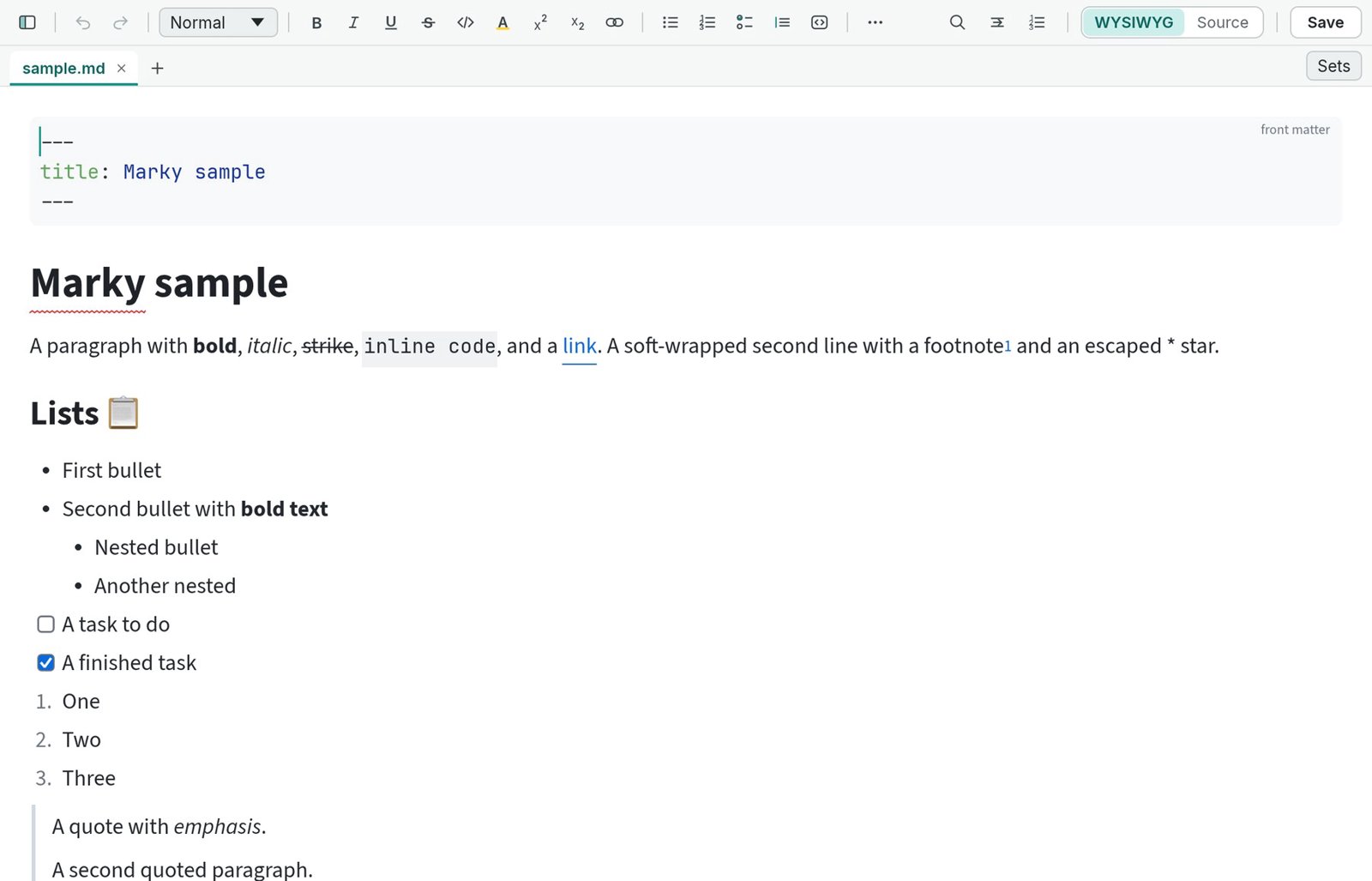
Formatted editing, plain-text files
Bold, lists, task boxes, quotes, code and footnotes are drawn as you type, while the file stays ordinary Markdown. Open a file and save it without editing and it comes back byte for byte.
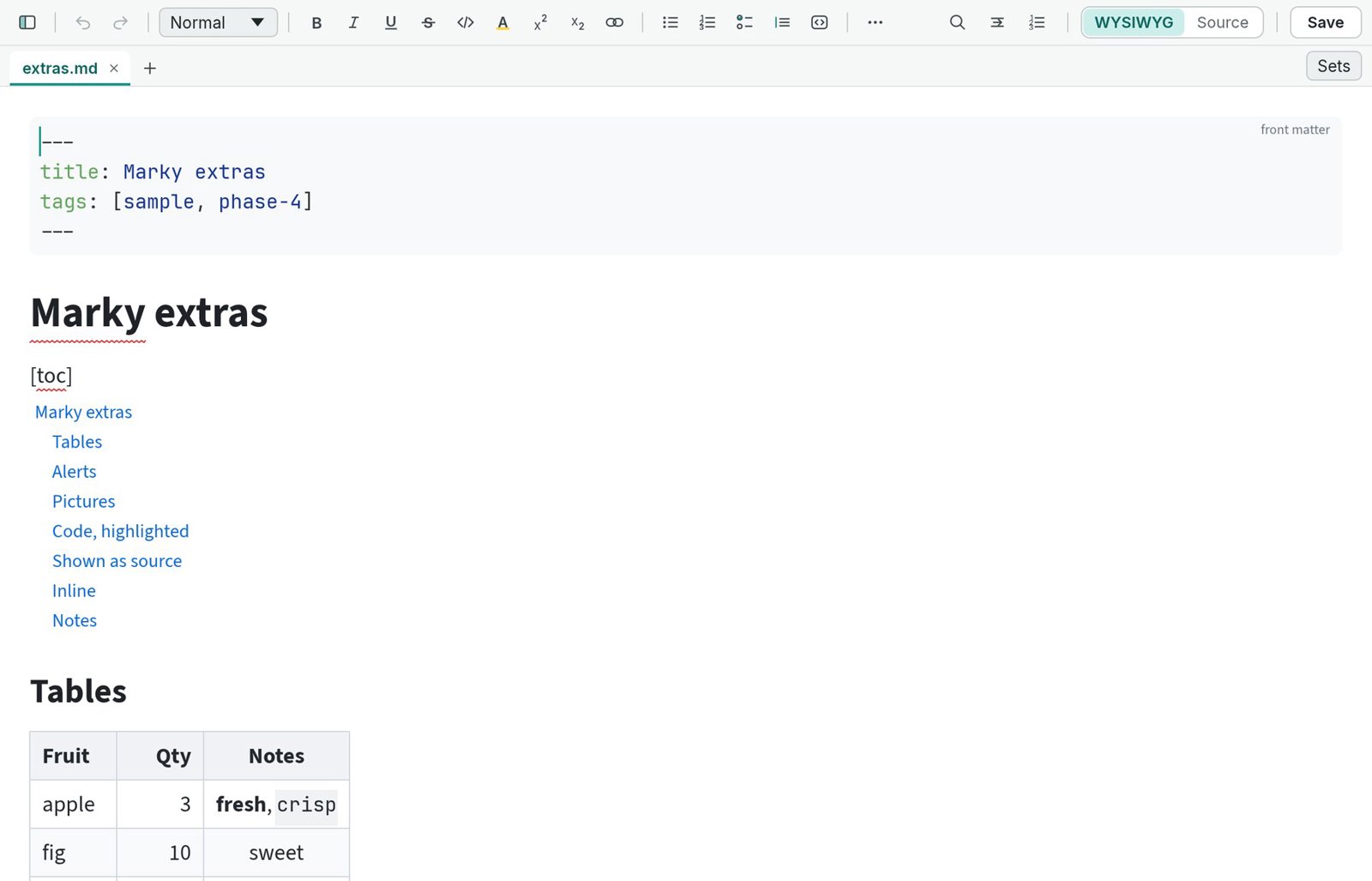
Tables, alerts and a table of contents that just work
Edit tables cell by cell, add GitHub-style alerts, highlight with ==marks==, and build a [toc] from your headings. Front matter, HTML, math and Mermaid are shown as source and kept exactly as written.
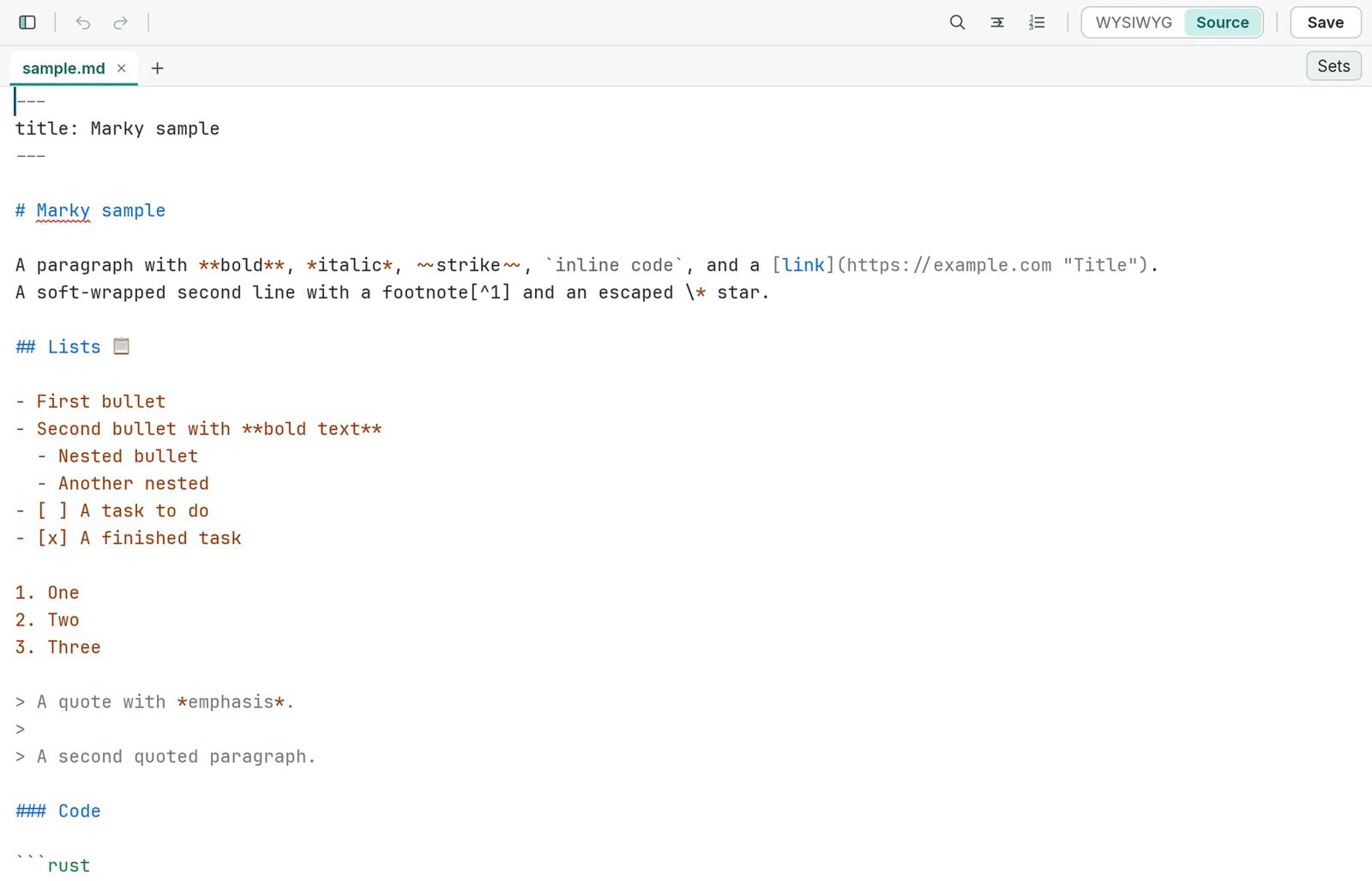
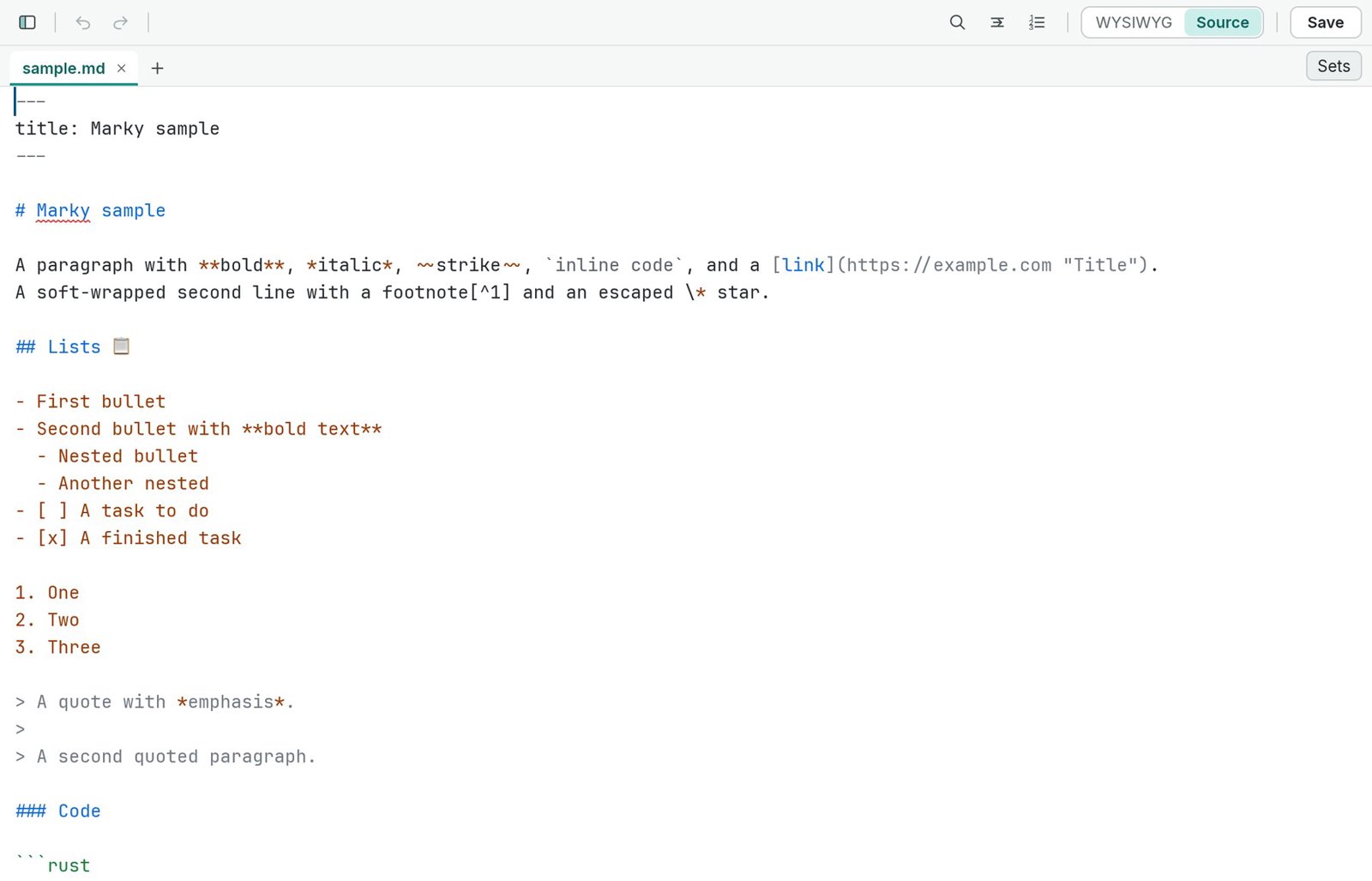
Source is one click away
The Source view shows the same text with real line numbers, and undo is a single history across both views.
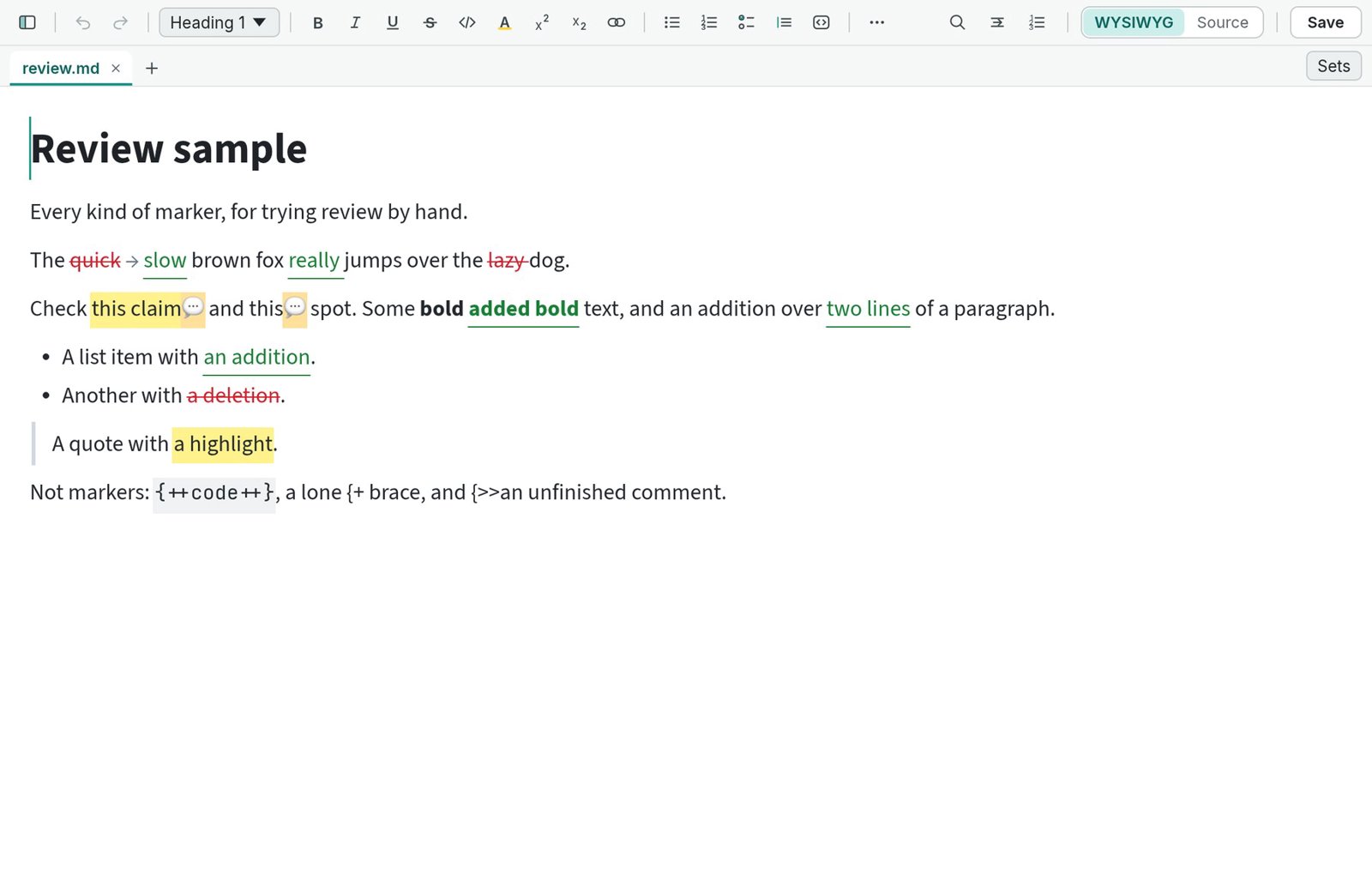
Review it like a word processor
A .marky file keeps versions, comments and tracked changes with your text. Save As .md whenever you need plain Markdown to share.
Plan a novel, not just a note
Turn a .marky file into a project: scenes grouped into chapters and parts, a Binder, snapshots, and story planning with Board, Outline and Timeline views, characters, locations and custom calendars.
Export anywhere
HTML, ePUB, Word and PDF, with a light or dark theme, paper size and margins, and your pictures inside the file.
Spell-checking
Corrections in the right-click menu, your own word list, other languages, and a language per document.
Pictures that stay put
Paste or drop pictures; moving or renaming a picture or a document in the folder browser keeps the links working.
Tabs, outline, folders
Several documents in tabs, with an outline and a folder browser in the sidebar.
Find and replace
Plain text or regular expressions, across blocks.
Paste from anywhere
Rich text from the web, Word, Google Docs or Notes pastes as Markdown, and copies keep their formatting for Mail and Word.
Crash recovery
Unsaved work is kept after a crash, with its undo history.
Quick Look on macOS
Press Space on a .marky file in Finder to read its text.
Reviews
Add a reviewNo reviews yet. Be the first to write one.